Pinned categories and scaling
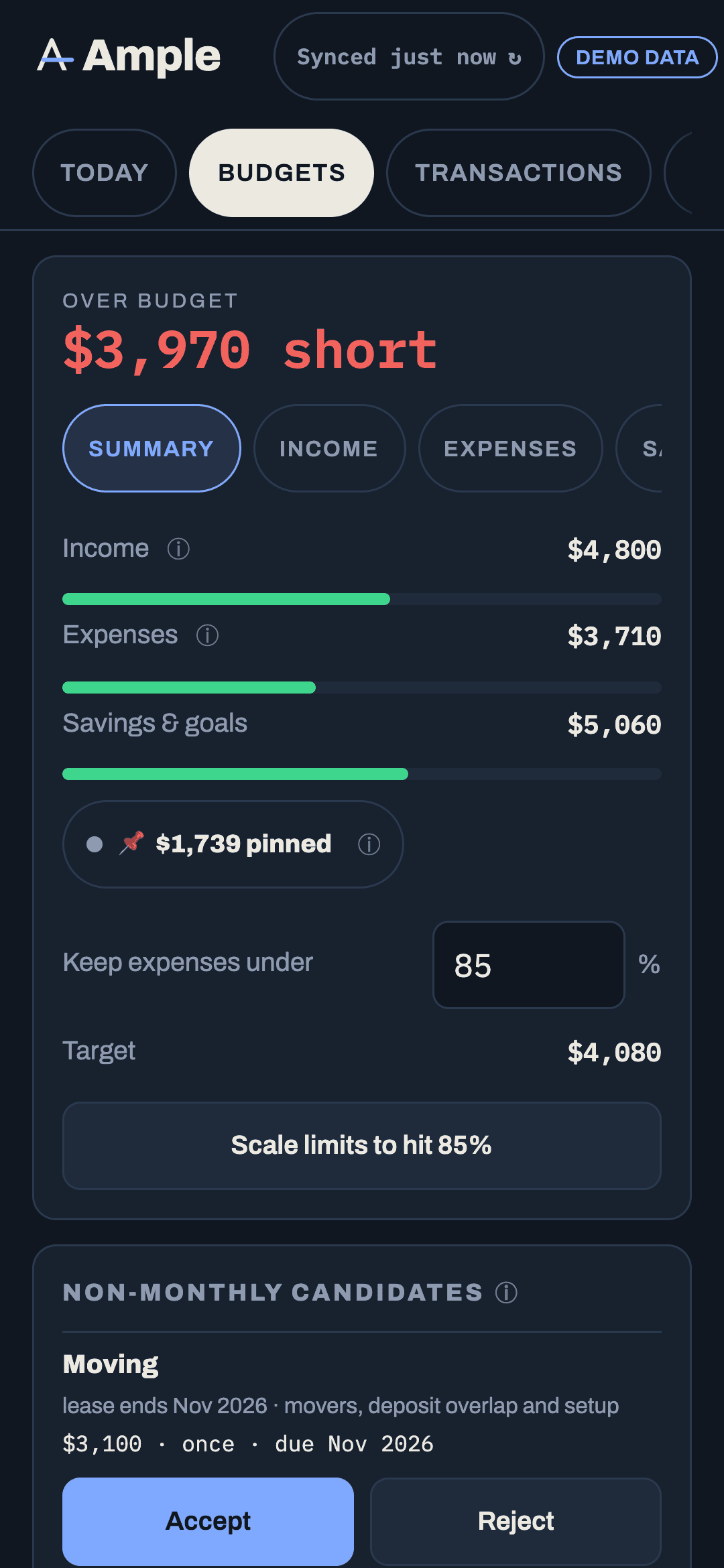
Pin a budget to hold it exactly and keep it out of proportional scaling. Then use Scale to fit the rest of the flexible pool to a target percentage of income.
Updated September 5, 2026 · 2 min read
Two controls work together: pin holds a category's budget exactly, and Scale resizes the unpinned flexible categories to hit a target. Together they let you fix the numbers you are sure about and let the rest flex.
Pin a category
Tap the category's ⋯ menu or gear and choose Pin. A pinned category shows a 📌 next to its name. Pinning does three things:
- The budget is held at the amount you set; Scale never changes it.
- If it is flexible, it is excluded from the pool's proportional math and reports its own overage rather than being covered by the pool.
- Suggestions from history never overwrite it.
Auto rows (mortgage halves, non-monthly accruals) are pinned by default because their amounts come from a rule. Typing over an auto row writes a this-month-only override and keeps the pin; the pin button on an override returns it to auto.
Scale the flexible pool
On the rail's Summary tab, set a target percentage of income (say, 40% of income for everything flexible). Tap Scale. Ample resizes every unpinned flexible category proportionally so the pool hits the target, rounding each to $25 and never below $0. Categories keep their relative sizes; only the total changes.
Two buttons: Scale down to the target if the pool is over it, Scale up if you have room and want the budgets to reflect it.
When Scale is disabled
If the pinned categories alone already exceed the target, Scale is disabled and the ⓘ says exactly why: "pinned $5,353 exceeds target $2,985 — unpin a category or raise the %." Nothing is scaled silently. Unpin something or change the target.
Pinned and the verdict
Because a pinned flexible category is outside the pool, its overage counts on its own. A pinned $200 dining budget that runs $60 over shows a dining chip in the verdict even if the rest of the pool is under. That is what pinning is for: it says "this one I mean exactly."
Pinned in the Forecast grid
Pins carry across months. A pinned category's future cells are still editable in the grid; editing writes that month's value and keeps the pin. "Apply to remaining months" respects pins the same way Scale does.
A sensible starting setup
Pin what you have decided about: mortgage halves (auto), the car, insurance, the phone, and one or two flexible categories you want held exactly. Leave groceries, gas, dining and shopping unpinned so Scale can fit them to the month. Revisit the pins when something changes; a pin is a decision, not a lock.
More in Budgets
Still stuck?
Tell us what you were trying to do and what happened. A person reads every message.
Contact support