Non-monthly expenses and accrual
Annual, semiannual and quarterly bills accrue a little each month toward a target and a due month, so the month they land is not a spike.
Updated September 5, 2026 · 2 min read
Car registration in March. Insurance every six months. The one big subscription that renews in May. Non-monthly expenses are why a "good" month can end $1,200 short. The Non-monthly bucket spreads them across the months before they land.
Set one up
- In Budgets, open the Non-monthly bucket and tap Add, or move an existing category into the bucket.
- Enter the target (what the bill will be), the frequency (annual, every 6 months, quarterly, every N months, or one-time by date), and the due month.
- If you have already put money aside, enter it as already funded.
The row now reads, for example, "funded $300 of $1,200 · due Dec 2026."
How the accrual works
Each month Ample plans what is still needed ÷ months to due as the category's budget. Set up in September for $1,200 due in December, that is $300 a month: funded $300 in September, $600 in October, $900 in November, $1,200 in December. The accrual is a planned expense in the month, so the rail and the verdict include it, and the cash is really there when the bill comes.
When the charge posts in December, it draws from the funded balance rather than counting as December spending, so the verdict does not spike. Then the schedule rolls forward to December 2027 and accrual restarts at $100 a month.
If you set one up late, the monthly accrual is simply larger, and it says so.
Seeds
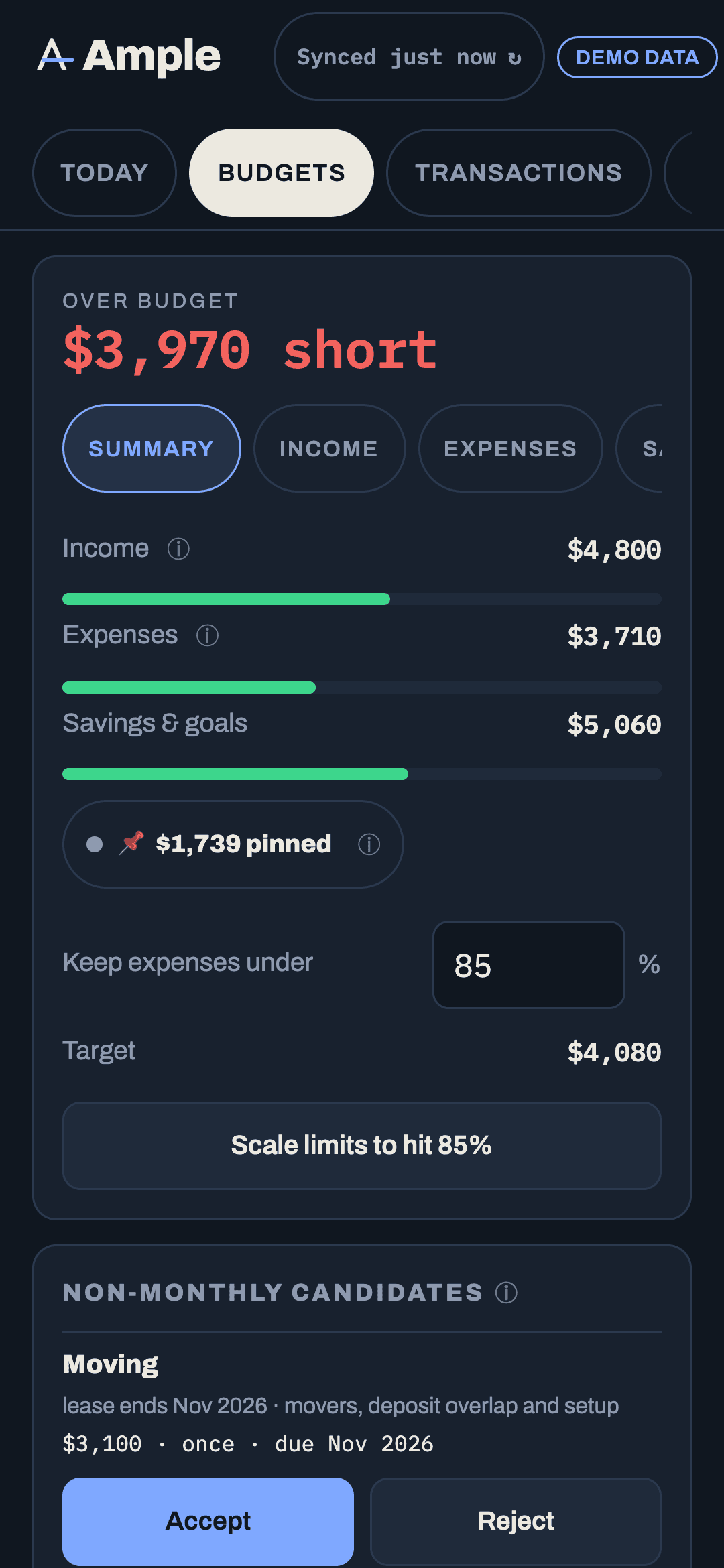
Ample looks for candidates in two places and offers them as seeds with Accept and Reject:
- Bills on the Recurring page with a frequency longer than monthly.
- Spikes in the last twelve months: a category that had a month at three times its typical amount and $200 or more above it. A May entertainment subscription of $1,182 against a typical $240 becomes a seed for a $1,200 annual target due next May.
Rejected seeds stay rejected until you clear the rejection in the bucket's ⋯ menu.
In the Forecast grid
Plan › Forecast shows the accrual in every month and a draw chip in the due month, then the restarted accrual after it, so a year of the category is visible at once. Editing the target there is the same as editing it in Budgets.
Frequency options
- Annual, every 6 months, quarterly, every N months: recurring; the due month advances after each draw.
- One-time by date: a single target (a trip, a repair). After the draw the category empties and can be deleted or reused.
Non-monthly vs rollover vs goal
A rollover carries whatever happens to be left; it is for spending that varies. A non-monthly category accrues toward a known bill on a schedule; it is for spending that is certain but not monthly. A goal under Plan is for saving toward something in a linked account, with progress against a target date. Pick by what you know: if you know the amount and the month, it is non-monthly.
More in Budgets
Still stuck?
Tell us what you were trying to do and what happened. A person reads every message.
Contact support