Connect your bank
Link checking, savings, cards, loans and your mortgage servicer through Plaid: you sign in at your bank, and Ample gets a view of your accounts, nothing more.
Updated September 5, 2026 · 2 min read
You sign in at your bank through Plaid, the connection thousands of banks and apps use. Ample gets a view of your accounts, nothing more: it can see balances and transactions, it can never move money or change a payment, and you can disconnect anytime.
Connect the first account
- Open Settings › Connections and tap Add a connection.
- Search for your bank or credit union and sign in on the Plaid screen. Your login goes to your bank, not to Ample.
- Pick the accounts to share. Checking and savings first; add cards, loans and the mortgage after.
- Tap Continue. The first sync pulls about two years of history where the bank provides it, which usually takes under a minute.
Repeat for each institution. There is no limit on the number of accounts inside one connection; the plan you are on sets how many separate connections you can have (three on Ample, unlimited on Pro, and no limit during the pilot).
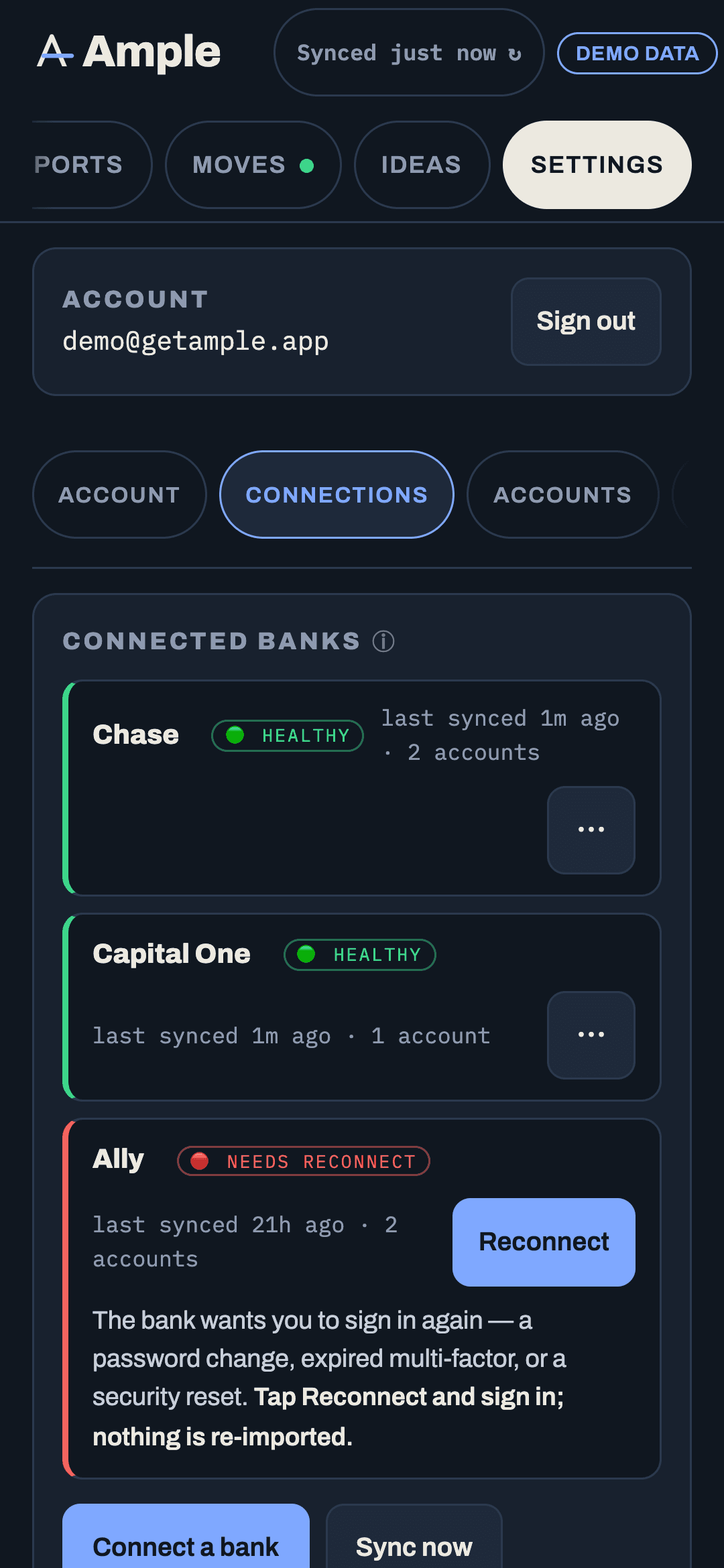
What happens after you connect
- Transactions sync every night and again when you open the app if the last sync is more than a couple of hours old.
- Pending charges show right away and are replaced by the posted version when it clears, so nothing counts twice.
- Balances refresh on every sync and show an "as of" time.
- Account types are detected from the bank (checking, savings, credit, loan). You can change one in Settings › Accounts if the bank labels it oddly.
- Categories are assigned by Ample's rules and your own. A category you set by hand is never overwritten by a sync.
Which accounts to connect
Everything that touches your paycheck or your bills. At minimum: the checking account your pay lands in and every account that pays a bill. Cards matter because Ample tracks utilization and payment timing; savings matter for the buffer and goals; loans and the mortgage matter for Net worth and the Home engine. If a bank or loan company is not in Plaid's catalog, you can add the account by hand with a balance and a rate; it will not sync, but every calculation still includes it.
If a bank does not appear or fails to link
A few institutions are not supported, and some require you to enable third-party access in your bank's own settings first. If the Plaid screen shows an error, close it and try again once; if it repeats, add the account manually for now and check back later. The health dashboard on the Connections page shows each connection's status and whether a reconnect is needed. See Reconnecting a bank.
Disconnecting
Tap a connection and choose Remove. Ample deletes the connection token so it can no longer read from the bank. The history already synced stays in your account unless you delete it as well. Removing a connection from Ample also revokes it on Plaid's side; your bank may additionally list Plaid under connected apps where you can revoke access yourself.
More in Getting started
Still stuck?
Tell us what you were trying to do and what happened. A person reads every message.
Contact support